RethinkTrends

Top Trending

Solo Travel Tips Every First-Timer Needs to Know

Solo Travel Tips Every First-Timer Needs to Know

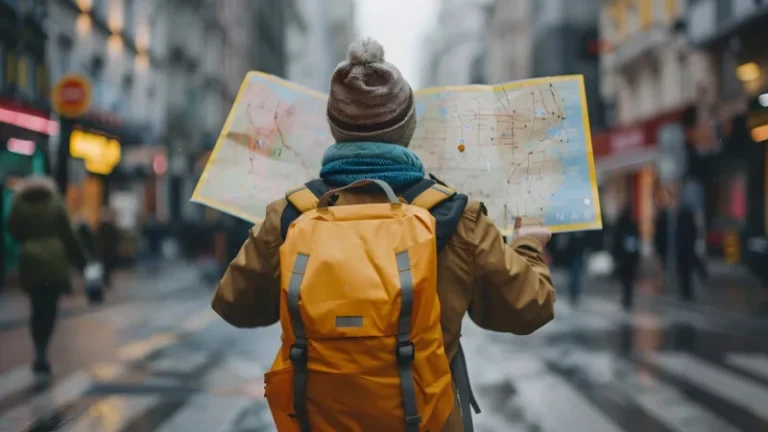
There’s a specific kind of freedom that only solo travel gives you. No compromises on where to eat. No waiting for someone to pack up. Just you, your bag, and wherever the day takes you. But if you’ve never done it before, the idea can feel overwhelming — where do you even start? Relax. These solo travel tips will take you from “thinking about it” to actually booking — and having a great time once you’re there. Why solo travel is worth it (even when it’s scary) Most people who solo-travel for the first time say the same thing: “I wish I’d done this sooner.” Solo travel forces you to make decisions, trust yourself, and talk to strangers — skills that pay off long after the trip ends. Yes, it’s intimidating at first. But that discomfort is exactly the point. You grow faster when you’re the only one responsible for figuring things out. Solo travel tips for planning before you leave home Good solo trips aren’t spontaneous — they’re well-prepped. The legwork you do before departure is what makes everything smooth once you’re there. Choose your destination wisely as a first-time solo traveller For your first trip, favour destinations with solid tourist infrastructure, low language barriers, and a well-established backpacker scene. Southeast Asia (Thailand, Vietnam, Indonesia), Portugal, and Japan consistently top the list for good reason — they’re easy to navigate, welcoming to solo travellers, and easy on the wallet. Check the latest safety advisories on your government’s travel portal before booking. A quick 10-minute read can save you a lot of stress. Book the first night — figure out the rest later This one trick reduces pre-trip anxiety more than anything else. Book your first night’s accommodation before you fly, confirm the airport transfer, and leave everything else flexible. Once you land, settle in, and take a walk around — you’ll quickly realise that planning on the ground is far easier than it looks on a map. Essential solo travel safety tips you can’t skip Safety doesn’t mean paranoia — it means preparation. A few simple habits keep you covered without ruining the vibe. Share your itinerary with someone you trust Before every trip, send a friend or family member your rough itinerary — hotel names, city by city. Drop them a check-in message every few days. It costs you nothing and gives everyone peace of mind. Keep digital copies of your passport, visa, and insurance documents on a cloud drive. If your wallet gets stolen, you’ll thank yourself. A few more quick wins: carry a small amount of emergency cash separate from your main wallet, use a door stopper alarm in budget accommodation, and always trust your gut if a situation feels off. Tips for meeting people and not feeling lonely on the road Loneliness on a solo trip is real — but it’s almost always a choice. The trick is putting yourself in social environments rather than waiting for connection to come to you. Stay in hostels for at least part of your trip. Hostel common rooms are some of the easiest places in the world to strike up a conversation. Free walking tours are another goldmine — two hours with a local guide and a small group, and you’ll likely end up at a rooftop bar together by evening. Apps like Meetup and Couchsurfing Hangouts also help you find locals or fellow travellers doing exactly what you want to do. Budget solo travel tips: how to spend less and see more Solo travel comes with a price — single rooms cost more than half a double. But there are easy ways around it. Dorm beds in well-rated hostels are the obvious fix. If you value privacy, book private rooms in hostels rather than hotels — you’ll pay less and be in a social environment. Pick up street food over sit-down restaurants, cook your own breakfast occasionally, and seek out free attractions (almost every major city has them). Most importantly: travel slow. Staying in one place for five days costs far less in transport and accommodation than bouncing between three cities. And you’ll actually get to know a place rather than just passing through it. Packing tips for solo travellers One rule: carry-on only. Checked bags slow you down, cost money, and make spontaneous route changes a hassle. A 40–45L backpack is enough for most trips under three weeks. Pack packing cubes to stay organised, bring a small padlock for hostel lockers, and wear your heaviest shoes on travel days to save bag space. Leave a little room for something you’ll pick up on the road — that’s half the fun. Final thoughts: your solo adventure starts with one booking The hardest part of solo travel isn’t being alone in a foreign city. It’s pressing confirm on that first booking. Everything after that gets easier — faster than you’d expect. You don’t need a perfect plan. You need a destination, a ticket, and enough curiosity to figure the rest out as you go. Pick your destination. Book one night. The rest will take care of itself. Ready to plan your first solo adventure? Check out our guide on the best solo travel destinations for beginners to find your perfect starting point. Frequently Asked Questions About Solo Travel Is solo travel safe for beginners? Yes — with the right preparation. Choose beginner-friendly destinations, share your itinerary with someone back home, stay in well-reviewed hostels, and trust your instincts. Millions of first-time solo travellers explore the world safely every year. Preparation beats paranoia every time. How do I not feel lonely travelling solo? Stay in hostels, join free walking tours, say yes to hostel common room conversations, and use apps like Meetup or Couchsurfing Hangouts to connect with locals and fellow travellers. Loneliness usually comes from isolation — put yourself in social spaces and it fades quickly. What should I pack for a solo trip? Aim for carry-on only — a 40–45L backpack covers most trips under three

Solo Travel Tips Every First-Timer Needs to Know Read More »

How to Make Money on Pinterest

How to Make Money on Pinterest in 2026: 7 Proven Strategies That Actually Work

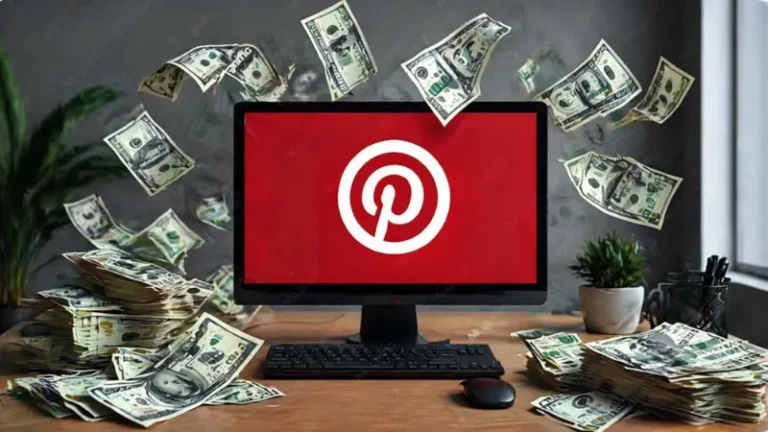
Pinterest is no longer just a place to save recipes or wedding mood boards. In 2026, it has evolved into a powerful visual search engine with over 600 million monthly active users — and a serious income opportunity for anyone willing to learn the system. Whether you’re a complete beginner or a seasoned content creator, this guide breaks down exactly how to make money on Pinterest this year. Why Pinterest Is a Goldmine in 2026 Unlike Instagram or TikTok, Pinterest works more like Google. People arrive with intent — they’re searching for ideas, products, and solutions they’re ready to act on. That’s what makes Pinterest monetization so powerful. Here’s what makes it stand out: Pins have a shelf life of months, even years — one pin can drive traffic long after you post it You don’t need a massive following to earn; accounts with 500 followers regularly generate $1,000+/month if their pins rank well Pinterest’s AI now reads images and matches your content to the right audience automatically This makes Pinterest one of the best platforms for passive income online, especially for beginners. 7 Ways to Make Money on Pinterest in 2026 1. Pinterest Affiliate Marketing This is the most accessible way to start earning with zero investment. You simply share pins with affiliate links — when someone clicks and buys, you earn a commission. Choose a niche that’s naturally shoppable: home decor, fashion, beauty, travel, fitness, or personal finance. Sign up for affiliate programs like Amazon Associates, ShareASale, or Impact, then create visually compelling pins that link directly to the product. Pro tip: Always disclose your affiliate relationship in the pin description — Pinterest requires it, and it builds trust with your audience. 2. Sell Digital Products Digital products — printables, planners, templates, e-books, presets — are perfect for Pinterest because they’re visual, shareable, and require no inventory or shipping. Platforms like Etsy, Gumroad, or your own website integrate easily. Create pins that show your product in use. A clean mockup of a budget planner or a Canva template does far better than a plain text pin. 3. Drive Traffic to Your Blog If you run a blog, Pinterest can become your #1 traffic source. Create multiple pins for each blog post — different angles, titles, and images — and link them back to your site. More traffic = more ad revenue, affiliate clicks, and product sales. Focus on evergreen content (topics people search year-round) to keep traffic flowing consistently. This is especially effective for niches like personal finance, DIY, recipes, and lifestyle. 4. Brand Partnerships & Sponsored Pins Once you’ve built an engaged audience on Pinterest, brands will pay you to create content featuring their products. Use Pinterest’s Paid Partnerships tool to tag sponsored content directly in your pins. You can pitch brands directly or join influencer platforms like AspireIQ, Upfluence, or Collabstr to find opportunities. Rates vary by niche and reach, but even mid-sized accounts can charge $200–$1,000 per sponsored pin campaign. 5. Print-on-Demand Products Don’t have your own inventory? No problem. With print-on-demand, you design products — mugs, t-shirts, wall art, tote bags — and a supplier handles production and shipping when an order comes in. Connect a Shopify or Etsy store to a print-on-demand app, create pins showcasing your designs, and drive buyers directly to your shop. This model lets you make money on Pinterest without a blog or large upfront investment. 6. Offer Pinterest Management Services Businesses know Pinterest works, but most don’t have time to manage it. If you understand Pinterest SEO, pin design, and analytics, you can charge clients $500–$2,000/month to manage their accounts. This is one of the fastest ways to generate income from Pinterest skills — no product, no followers needed, just results. 7. Set Up a Pinterest Shop If you sell physical or digital products, set up a Pinterest Business Account and connect your product catalog. This enables your products to appear in the Pinterest Shopping tab, product carousels, and visual search results. The Verified Merchant Program adds a trust badge to your profile, which can significantly boost click-through rates. Pinterest SEO Tips to Rank Higher in 2026 Getting traffic from Pinterest is all about search optimization. Here’s what works right now: Use keywords in pin titles, descriptions, and board names — think like your customer, not like a marketer Create boards with specific, searchable names (e.g., “Minimalist Home Office Ideas” beats “Home Decor”) Post consistently — 5 to 10 pins per day keeps your account active in the algorithm Use 3–5 relevant hashtags per pin Analyze Pinterest Trends to catch rising topics before they peak How Long Before You Start Earning? Be realistic: most accounts take 3 to 4 months before seeing consistent income. Pinterest’s algorithm needs time to understand your content and match it with the right audience. But once your pins start ranking, they keep working for you — passively. The accounts making $2,000–$10,000+ per month are consistent, strategic, and treat Pinterest like the search engine it is. Start Pinning With Purpose Pinterest rewards patience and strategy. Whether you choose affiliate marketing, digital products, or brand partnerships, the key is to pick one method, stay consistent, and optimize as you go. The opportunity is very real — and in 2026, it’s bigger than ever. Start with a Pinterest Business account, define your niche, and post with intent. Your first dollar is closer than you think. Want more actionable guides on making money online and staying ahead of digital trends? Explore the latest at RethinkTrends.

How to Make Money on Pinterest in 2026: 7 Proven Strategies That Actually Work Read More »

Why Google Can't Find Your Content

Why Google Can’t Find Your Content (And It Has Nothing to Do With Keywords)

et’s say you’ve published a genuinely good piece of content. Researched, well-written, formatted cleanly. You wait. A week passes. Two. You check Google Search Console and your page is either missing entirely or sitting in a queue marked “Discovered or currently not indexed.” That’s a nightmare, right? You start questioning your keyword research, your writing, your entire strategy. The problem almost certainly isn’t any of that. There are three stages Google goes through before your content can rank for anything namely crawling, indexing, and rendering.  Most marketers know these words. Very few understand exactly where the breakdowns happen inside each one. And because the failures are silent in a corner of the internet with no error message, no penalty notice, just absence, they go undiagnosed for months while content piles up on a site. Google has quietly settled on the fact that the content on your website isn’t worth prioritizing due to poor SEO This blog walks through each stage, what breaks inside it, and how to diagnose it today, not theoretically, but with specific tools and specific things to look for. Stage One: Crawling Can Google Even Find the Page? Crawling is Google’s discovery process. Its bots travel the web following links, noting what exists and filing it for further processing. If the bot never reaches your page, nothing that comes after matters. The three most common crawl blockers are rarely dramatic. They’re quiet configuration mistakes that sit unnoticed for months. The robots.txt Problem Your robots.txt file accessible at yourdomain.com/robots.txt tells Google which areas of your site it’s allowed to visit. A single misplaced line can accidentally block your entire blog directory. This happens more often than you’d think, especially after site migrations or CMS changes where default configurations get overwritten. Go check yours right now. If you see a Disallow: / rule without a specific path after it, that’s a site-wide crawl block. If you see Disallow: /blog/ and that’s where your content lives, your SEO effort has been landing in a deep void. Pro Tip: Use Google Search Console’s robots.txt Tester (under Settings → robots.txt) to paste in specific URLs and see whether Googlebot is currently blocked from them. It shows you the exact rule causing the block, which is far faster than reading the file manually when it has dozens of directives. The Orphaned Page Problem Google’s bots follow links. If a page has no internal links pointing to it from anywhere else on your site, the bot has no path to find it, even if you’ve submitted it in your sitemap. This is called an orphaned page, and it’s surprisingly common on sites that publish frequently without a structured internal linking process. The fix is straightforward: every new post you publish should have at least two internal links pointing to it from existing, indexed pages. Not as a mechanical rule, as a genuine signal that this content belongs in the conversation your site is already having. The Crawl Budget Problem Google doesn’t crawl every page of your site every day. It allocates a crawl budget, a rough limit on how many pages it will visit per crawl cycle based on your site’s size, authority, and server speed. On large sites, this budget gets depleted by low-value pages: auto-generated tag archives, duplicate filter URLs on e-commerce sites, thin category pages with three posts each. Every crawl visit wasted on a page that doesn’t need to be indexed is a crawl visit not spent on the content that matters. Auditing and either consolidating or indexing thin pages isn’t a cleanup task, it’s a strategic reallocation of a finite resource. Diagnostic Checklist for Crawling Visit yourdomain.com/robots.txt and confirm no critical directories are blocked Check Google Search Console → Settings → robots.txt Tester for specific URL testing Run a site crawl with Screaming Frog filter for pages with zero inlinks Identify and no index thin, auto-generated, or duplicate pages eating crawl budget Confirm your XML sitemap is submitted in GSC and contains only indexable URLs Stage Two: Indexing Can Google Understand What It Found? Getting crawled is permission to enter. Getting indexed is being understood well enough to be filed. A page can be crawled repeatedly and still not indexed because Google read it and decided it didn’t offer enough distinct, reliable information to merit a place in the database. This is where “Discovered currently not indexed” lives rent-free. It’s not a penalty. It’s a judgment call. And it’s one you can influence. The Thin Content Judgment Google’s indexing systems evaluate whether a page adds something to the existing conversation on a topic. A 300-word post that broadly summarizes what other pages already cover thoroughly has a weak case for inclusion. A 300-word post that answers one very specific question with genuine precision and original detail has a strong one. Length is not the variable. Information density is. If your pages are consistently sitting in the “Discovered but not indexed” queue, the first question to ask is: does this page tell Google something it doesn’t already know? Not in terms of keyword novelty but in terms of actual informational contribution. If the honest answer is no, consolidating that page’s content into a stronger, more comprehensive piece will serve you better than any technical fix. Rethink Moment: Publishing frequency is not an indexing strategy. Forty thin posts do not accumulate into one authoritative signal, they spread your site’s credibility thin across forty weak signals. Twenty dense, substantive posts that each earn their place in the index will outperform them every time. Google’s indexing decision is essentially a quality gate. Respect it by meeting the standard, not gaming the volume. The Duplicate Content Dilution If your site has multiple URLs that serve essentially the same content  /blog/post-title and /blog/post-title?ref=newsletter, for instance, or HTTP and HTTPS versions of the same page, or www and non-www versions. Google has to decide which one is the “real” page. When it can’t, it sometimes indexes the wrong one, or splits the authority signal between

Why Google Can’t Find Your Content (And It Has Nothing to Do With Keywords) Read More »

The SEO Guide That Actually Tells You What's Going On in 2026

The SEO Guide That Actually Tells You What’s Going On in 2026

Most SEO guides hand you a checklist and call it strategy. This one hands you a map of the entire landscape, so you can navigate it when the map changes. Here’s a confession most SEO blogs won’t make: a significant portion of what gets published as “SEO strategy” in 2026 was written or at least conceived in 2019. The tactics got a fresh coat of paint but the fundamentals stayed the same. And while fundamentals matter, the ecosystem they operate in has been rebuilt from the ground up. The standard SEO guide gives you a checklist. Write a title tag under 60 characters.  Get backlinks from authoritative sites.  Produce “10x content.” These aren’t wrong, exactly. They’re just incomplete in the way a compass is incomplete when you need both direction and altitude. The terrain has a third dimension now, and most guides are still drawing flat maps. “SEO is not only a set of techniques you apply to content. It’s also a philosophy of communication, between you, your reader, and the machines that decide whether anyone sees the conversation at all.” What changed? Three things converged. First, Google’s algorithm stopped being a keyword-matching engine and became a meaning-understanding engine, the one that reads your page the way a thoughtful editor would, checking not just what you said but whether you actually know what you’re talking about.  Second, AI search features: Google’s AI Overviews, ChatGPT, Perplexity began pulling answers directly out of content and presenting them to users on top search results without requiring any additional click. Suddenly, “ranking #1” and “getting traffic” became two different objectives. Third, the sheer volume of content on the internet exploded past any human capacity to evaluate, which forced both users and search engines to rely on signals of trust more heavily than ever before. The result is a landscape where the old checklist still has a role but it’s the role of foundation, not a complete strategy. You need the checklist but you also need to understand the building you’re constructing on top of it. That’s what this guide is. Not a longer checklist. A way of thinking about search that makes every individual tactic make sense and helps you adapt when the tactics inevitably shift again. Let’s start at the bottom of the stack the technical infrastructure that makes any of this possible then build upward toward content, authority, and the future of search. The Technical Foundation: Crawling, Indexing & Rendering Imagine Google is a vast, restless librarian. Not just any librarian one who manages a library with hundreds of billions of books, adds thousands of new ones every minute, and whose job is to answer any question put to them in under a second. Before that librarian can help you, they need to do three things: find your book (crawling), read and categorize it (indexing), and understand what’s on the page (rendering). Miss any one of these, and your content simply doesn’t exist from the search engine’s perspective regardless of how brilliant it is. Crawling: Can Google Find Your Pages? Crawling is the process by which bots affectionately called Googlebot travel the web following links, discovering new pages, and revisiting old ones. Think of it like a spider moving across a web: it starts somewhere, follows threads, and maps what it finds. Your site needs to give that spider a clear, unobstructed path to rank.  Common crawl blockers are surprisingly mundane. A single misconfigured robots.txt file that tells search engines which parts of your site they can and can’t visit can accidentally hide your entire blog. Broken internal links create dead ends in this crawling path. An extremely slow server means the bot gives up before it finishes your site. These aren’t glamorous problems, but they are foundational. No amount of great content can fix them. So get your technicalities straight.  Pro Tip: Use Google Search Console’s Coverage report weekly, not monthly. It tells you exactly which pages Google has tried to crawl, which it’s indexed, which it’s skipped and why. The “Discovered, currently not indexed” status is a red flag worth investigating immediately. It means Google knows the page exists but isn’t prioritizing it, usually due to thin content, slow loading, or poor internal linking. One underappreciated lever here is crawl budget: large sites only get a finite number of crawl visits per day. If you have thousands of low-value pages, think auto-generated tag archives, duplicate product filter pages, or thin category pages, you’re burning that budget on pages that don’t deserve it, at the expense of pages that do. Pruning or consolidating thin content isn’t just a content strategy, it is a technical efficiency play. Indexing: Can Google Understand Your Pages? Once a page is found, it enters the indexing phase Google’s process of reading, analyzing, and filing the page in its vast database. This is where meaning gets extracted. The librarian isn’t just recording that the book exists; they’re cataloguing what it’s about, who wrote it, what other books it references, and how it fits into the broader conversation happening across the library i.e Google’s database.  For indexing to work properly, your content needs to be readable by machines. This means clear HTML structure: a single, descriptive <h1> that tells Google the page’s main topic, logical heading hierarchy underneath it, descriptive alt text on images (since Google can’t see images, only their descriptions), and a canonical tag that tells Google which version of a page is the real one when duplicates exist. Structured data, code added to your page in a format called Schema.org markup  is the accelerant here. It’s the difference between giving the librarian a book and giving them a fully annotated book with a table of contents, an author bio, a summary, and category labels pre-filled.  Google uses structured data to generate rich results: star ratings in search snippets, FAQ accordions, event dates, recipe cards. These visual enhancements in the search results don’t just look pretty, they increase the click-through rate of your listing even

The SEO Guide That Actually Tells You What’s Going On in 2026 Read More »

You Can Now Create Anything With AI

You Can Now Create Anything With AI: Here’s What That Actually Means in 2026

Not long ago, if you wanted to build a website, you hired a developer. If you needed a logo, you hired a designer. If you wanted to produce a video, you hired a production team. That world is changing fast — and in 2026, the phrase “I can’t make that” is increasingly becoming “I just haven’t opened the right tool yet.” We’re living in a moment where AI genuinely lets you create anything — music, code, videos, marketing campaigns, product prototypes, and even scientific hypotheses — without requiring years of specialized training. But this shift is bigger than just having cool software. It’s reshaping how work gets done, who gets to be a creator, and what competitive advantage actually looks like going forward. Let’s break down what’s driving this shift and what it means for you. The Creative Revolution Is Already Here The past 18 months have seen a dramatic leap in what AI tools can produce. Video generators like Google’s Veo and OpenAI’s Sora 2 now produce cinematic-quality clips from a simple text prompt. Image generators render publication-ready visuals in seconds. Music AI can compose full tracks with vocals, instrumentals, and custom genres on demand. Writing assistants don’t just fix grammar — they draft full-length content strategies, landing pages, and research reports. What used to take a team of five specialists and a two-week timeline can now be prototyped by a single person in an afternoon. This is the core promise of “create anything” AI tools: collapsing the gap between idea and execution. Why 2026 Is the Tipping Point Earlier AI tools were impressive but inconsistent — great for demos, unreliable in practice. That ceiling has been raised. Several forces have converged this year to make AI creation genuinely dependable: Reasoning models now plan before they generate, catching errors before they become problems Agentic workflows let AI tools connect to each other and take multi-step actions — not just answer a question, but complete an entire project Multimodal input means tools now understand text, images, audio, and video together, making context richer and output smarter Tool interoperability (via standards like MCP) allows AI systems to plug into your existing apps, data, and workflows without custom integrations The result? A three-person startup can now run campaigns that used to require an agency. A solo creator can produce content at the scale of a media company. A first-time entrepreneur can build a functional product prototype before spending a cent on hiring. What You Can Actually Create Right Now Content and Writing AI writing tools in 2026 go far beyond blog drafts. They conduct research, adapt tone to your brand voice, generate SEO-optimized long-form content, and even analyze competitor positioning. Tools like Claude, ChatGPT, and specialized content platforms allow you to produce high-quality content at scale without sacrificing authenticity — as long as you remain the strategic brain behind the output. Visual Design and Video Adobe Firefly, Canva AI, and video platforms like Runway and ByteDance’s Seedance 2.0 are giving non-designers the ability to produce stunning visuals, brand assets, and short-form videos. What’s notable in 2026 is that these tools now understand brand identity — feed your website URL and they’ll match your colors, fonts, and visual tone automatically. Code and Products AI coding assistants have matured into full development partners. They don’t just autocomplete lines — they understand entire codebases, write tests, catch bugs proactively, and can execute multi-step build tasks with minimal human intervention. Non-technical founders are now shipping real software faster than ever before. Strategy and Research Perhaps the most underrated shift: AI tools are now capable of conducting deep research, synthesizing insights, generating hypotheses, and producing strategic recommendations. What once took a consultant days of analysis can now be surfaced in hours. The Real Competitive Advantage Is Knowing How to Use These Tools Here’s the nuance that most coverage misses: the ability to create anything doesn’t mean everything AI creates is good. Volume and quality are not the same thing. The brands and individuals winning in 2026 are not those who use the most AI tools — they’re the ones who bring clear strategy, genuine taste, and human judgment to the AI’s output. Think of it this way: AI gives you the capability to create anything. Your vision, your audience understanding, and your creative direction are what determine whether what you create actually matters. This is the new creative stack: human strategy + AI execution. Those who treat AI as a replacement for thinking will produce generic, forgettable content. Those who use AI to amplify their thinking will create faster, better, and at a scale that was previously impossible. What This Means for You Whether you’re a solopreneur, a marketing team, or a business trying to stay ahead of the curve, the playbook is the same: start with one area where content creation slows you down, find the right AI tool for that specific task, and build from there. Don’t try to automate everything at once — that leads to chaos, not scale. The opportunity is real. The tools are here. The question is no longer whether you can create anything — it’s what you’ll choose to create first. Stay ahead of what’s changing at rethinktrends.com — we track the tools, trends, and shifts that matter before they go mainstream.

You Can Now Create Anything With AI: Here’s What That Actually Means in 2026 Read More »

April Fools Day Funny

April Fools Day Funny 10+ Best Pranks & Jokes That Work in 2026

Let’s be honest  most holidays are stressful. You spend money, cook food, and attend gatherings you didn’t plan for. But April 1st? April 1st is free, it requires zero gifts, and the only currency you need is a good sense of humor. April Fools Day has been around since at least the 1500s, and people still can’t resist it. That one day each year gives everyone  kids, adults, coworkers, and even brands  a hall pass to be a little mischievous. And in 2026, it’s more alive than ever. Whether you’re looking for a quick prank that takes 30 seconds or a full-on scheme that takes days of planning, this guide has something for everyone. No mean-spirited tricks here  just genuinely funny April Fools Day ideas that’ll leave people laughing (even the ones who got pranked). Top 10 April Fools Pranks That Are Absolutely Hilarious This is the list you came for. These are tried-and-tested, crowd-pleasers that land every single time. We’ve ranked them by effort so you can pick based on how much energy you actually have on a Wednesday morning. 1. The Autocorrect Trap (Low Effort, Maximum Chaos) If you have a few minutes alone with someone’s phone, change a handful of common words in their autocorrect settings. Replace “the” with “the dark lord” or “okay” with “I absolutely refuse.” Watch their texts become comedy gold throughout the day. Best for: Friends, siblings, your overly formal coworkerEffort level: 2/10Laugh level: 9/10 2. The Sticky Note Invasion Cover every single surface of someone’s desk monitor, keyboard, stapler, coffee mug, and mouse with sticky notes. If you’re feeling extra, write tiny messages on each one. This is one of the most classic great April Fools pranks for a reason: it’s harmless, it’s visual, and the reaction when someone walks in is priceless. Best for: Offices, roommates, spousesEffort level: 5/10Laugh level: 8/10 3. The Googly Eyes Fridge Raid Put googly eyes on everything inside the fridge. Every. Single. Thing. The leftover pizza. The orange juice carton. The block of cheese. When someone opens the fridge at 7 a.m., half-asleep, they’ll be greeted by a dozen tiny eyes staring back at them. Best for: Family households, shared apartmentsEffort level: 3/10Laugh level: 10/10 4. The Fake Bug in the Lampshade Cut out a convincing bug silhouette from dark paper and tape it to the inside of a lampshade. When someone turns on the light, the shadow of the bug appears dramatically on the lamp. Screams optional, but expected. Best for: Partners, parents, anyone mildly afraid of insectsEffort level: 2/10Laugh level: 8/10 5. The Desktop Screenshot Prank (For Tech People) Take a screenshot of someone’s computer desktop, set it as their wallpaper, then hide all the actual icons. When they try to click anything, nothing opens. Watch them spend five confused minutes trying to figure out why their computer “stopped working.” Best for: Coworkers, tech-savvy friends, anyone who uses a computerEffort level: 3/10Laugh level: 9/10 6. The “Your Car Got Towed” Note Leave a note on someone’s car that says: “Sorry about your car! Parking Enforcement.” Then hide nearby and watch the panic from a safe distance. Make sure you reveal the prank before they actually call anyone. Best for: Close friends, siblings (who you trust won’t panic too much)Effort level: 1/10Laugh level: 7/10 (use responsibly) 7. Voice Assistant Conspiracy If your household uses a smart speaker, change the wake word or rename a contact in someone’s phone so when they ask their assistant to “call Mom,” it calls someone unexpected like their boss or a pizza place. Best for: Spouses, roommates, tech-dependent family membersEffort level: 4/10Laugh level: 9/10 8. Caramel “Apples” That Are Actually Onions Coat some whole onions in caramel (and maybe add sprinkles) to make them look exactly like caramel apples. Set them out on a plate and enjoy the reaction. Best for: Family gatherings, office partiesEffort level: 6/10Laugh level: 10/10 9. The Email “From IT” Prank Send a convincing email to coworkers saying IT will be taking all computers offline from 9–11am today for a mandatory upgrade. Watch everyone scramble to finish tasks early, then nothing happens. Best for: Office teams with a chill cultureEffort level: 3/10Laugh level: 8/10 10. The Balloon Room Surprise Fill someone’s bedroom, car, or office cubicle with balloons overnight. It’s simple, colorful, and genuinely hard to be mad about. Best for: Anyone, any ageEffort level: 7/10Laugh level: 10/10 Good April Fools Day Jokes You Can Text Right Now Not everyone has time to set up an elaborate prank. Sometimes you just want to send a quick joke and watch someone take the bait. “I have some good news and some bad news. The good news: April Fools!” “Hey! Big news — I just quit my job and I’m starting a llama farm.” “Something big just happened… I finally found parking downtown.” “They just announced they’re discontinuing your favorite snack.” “Can I tell you something? Don’t freak out…” (reply later: April Fools) April Fools Jokes for the Workplace That Won’t Get You Fired Office pranks should be light and harmless. Tape under mouse sensor “Out of Order” sign on coffee machine Fake meeting room bookings Funny fake promotion email Golden Rule: If it risks work, reputation, or data  skip it. Fun Facts About April Fools Day No one knows the exact origin Scotland celebrates for two days Brands launch fake products Some traditions end pranks at noon In France, it’s called “April Fish” How to Be the Perfect Prankster Know your audience Don’t cause damage or cost money Reveal the prank the same day Be ready for revenge Make sure everyone laughs FAQs: April Fools Day Funny Q: What is the funniest April Fools Day prank of all time? There’s no universal answer, but the “BBC Spaghetti Tree” hoax from 1957 is widely considered one of the greatest media pranks ever. The BBC aired a fake documentary showing Swiss farmers harvesting spaghetti from trees  and thousands of viewers actually believed it. Q: What are some good

April Fools Day Funny 10+ Best Pranks & Jokes That Work in 2026 Read More »

Best AI Website Builder 2026

Best AI Website Builder 2026: Build Your Site in 60 Seconds

What’s Inside’ What actually changed in 2026 How an AI website builder works (the real explanation) The best AI website builders right now Free AI website builders & what’s actually free No-code AI builders: who they’re really for How to write a prompt that generates a great site The verdict: pick your builder in 60 seconds What actually changed in 2026 AI website builders have been in the market for a while now, but they weren’t that great. You’d answer five questions, get a site that looked like every other site, and spend three hours fixing it anyway. The time-save wasn’t real. That’s changed. According to the recent reports, building with AI in 2025–2026 cuts average build time from 32 hours to 4 hours, an 87% reduction. The output is no longer template-adjacent. It’s genuinely custom: layout, copy, images, mobile-ready, SEO-structured. All from a conversation. The reason? The category has split in two: traditional marketing-site builders (Wix, Squarespace, Framer) and full-stack application builders (Lovable, Bolt.new, v0). Knowing which lane you’re in saves you a lot of frustration. In plain English First-gen AI builders generated templates with placeholder text. Today’s builders write real copy for your specific industry, design around your brand’s personality, and handle SEO automatically. You’re starting from 80% done, not 0%. How an AI website builder works (the real explanation) Here’s what’s actually happening when you type a prompt and a site appears. These tools connect to a large language model (LLM), like Claude, GPT-4, or Gemini, and pass your description through a system that matches it to design patterns, page structures, and content frameworks trained on millions of high-performing websites. The pipeline looks roughly like this: Intent parsing The AI reads your prompt and extracts what kind of site you need, who it’s for, and what actions visitors should take. “A portfolio for a freelance UX designer” tells it audience, purpose, and tone all at once. Structure generation It builds a sitemap and page hierarchy, which pages exist, how they link, what sections each page needs. This is where the layout logic lives. Content generation Instead of “Lorem ipsum,” advanced builders generate real headlines, descriptions, and calls-to-action tailored to your industry and tone. This is what used to take a copywriter days. Visual design + deploy Color scheme, typography, spacing, and imagery get assembled. Then depending on the platform, it auto-deploys to a live URL with hosting included. Some do this in under 60 seconds. What AI handles well vs. not AI is excellent at layouts, copy, meta descriptions, image alt text, and mobile responsiveness. It struggles with custom logic, real-time data processing, and enterprise security requirements. For a business website or portfolio, it’s more than enough. The best AI website builders right now We’re cutting through the 20-tool listicles. These are the four that actually survived real testing in 2026, each for a different type of person. Wix AI (Harmony) [Best overall] The most comprehensive AI feature set available. Conversational onboarding adapts to your answers, generating a genuinely customized site, not just a shortcut to templates. Strong business tools, marketing automation, 800+ templates as a fallback, and an AI SEO assistant built in. Works just as well on mobile as desktop. wix.com Free plan available · Paid from $17/mo Hostinger AI Builder [Best budget] Generates complete websites in under 60 seconds, and that benchmark is real. Add your business name, describe what you do, and it builds the whole thing including a professional video start page. It won’t satisfy power users, but for a quick portfolio or local business site, nothing is faster or cheaper. hostinger.com No free plan · From $2.99/mo with hosting included Framer AI [Best design quality] Editorial-quality typography, confident whitespace, and image handling that makes even average photos look intentional. If your brand is your competitive advantage, this is where the visual gap between AI-built and agency-built closes completely. Higher learning curve, but the ceiling is the highest. framer.com Free for 1 site · Pro from $15/mo Lovable [Best for apps] Not a marketing site builder. This is for when you need a web app, user authentication, databases, payments, logic. At $75M ARR and 30,000+ paying users, it’s proved that non-technical people can ship production-ready applications by describing what they want. Expect to iterate (avg. 28 prompts per project), but what you get is real software. Lovable.dev Free plan · Paid from $25/mo Free AI website builders & what’s actually free Let’s be specific here because “free” gets thrown around loosely. Here’s what you’re actually getting: Tool Free tier What’s limited Catch Wix Yes Wix subdomain, ads shown No custom domain on free Framer Yes (1 site) Framer subdomain Limited pages Durable Yes durable.site subdomain No e-commerce on free Lovable Yes Limited prompts/month Good for prototyping only Hostinger No Free trial only Cheapest paid at $2.99/mo Webflow Yes (2 projects) Webflow subdomain, no CMS publish Steep learning curve Practical advice If you’re testing whether AI builders work for you, start with Wix or Durable’s free tier. Build a real site (not a dummy). Publish it. Use it for a week. Then upgrade if it’s doing something useful, don’t pay before you’ve validated the concept. No-code AI builders: who they’re really for The phrase “no code” means the platform hides the code from you, not that there’s no code. The AI generates clean HTML, CSS, and JavaScript (or React) under the hood. Some platforms let you export and host it elsewhere. Others lock you in to their ecosystem. Know which you’re dealing with before you commit months of content to a platform. No-code AI builders are genuinely perfect for: freelancers, consultants, local businesses, creators launching a newsletter or course, and early-stage startups that need a presence while the product is still being built. They’re not great for complex SaaS products, e-commerce at serious scale, or anything that requires custom backend logic, for those, look at Lovable or Replit. How to write a prompt that generates a great site This is where most

Best AI Website Builder 2026: Build Your Site in 60 Seconds Read More »

Complete Guide to Digital Marketing in 2026

The Complete Guide to Digital Marketing in 2026

You just started a business. Now what? This guide is your practical playbook, built like a workshop, not a textbook. Read it once and you’ll know exactly what to do next. What’s inside: The foundation: strategy before tactics Your website: the only real estate you own SEO: the long game that actually pays off Content marketing: becoming the go-to Social media: where attention lives Paid ads: buying your way to faster results Email marketing: the channel you own AI in marketing: your unfair advantage Analytics: decisions, not dashboards Your 90-day action plan You started a business and someone told you “you need to do digital marketing.” Great advice. But it does not help you until you know the “HOW?.” There’s SEO, ads, social, email, content, AI tools, funnels, and managing all of it, it’s a lot. Most guides either scratch the surface or go so deep you lose the plot entirely. This one is different. Just stay with me. The foundation: strategy before tactics Most new business owners make the same mistake, they jump straight into tactics. “Should I be on Instagram? Should I run Google Ads?” These are good questions, but they’re the wrong starting point. Before any of that, you need three things locked down. Know exactly who you’re talking to A buyer persona isn’t just demographic info. It’s understanding what keeps your customer up at night, what words they use to describe their problem, and where they go looking for solutions. You can’t write a good ad, post, or email without this. Grab a pen and write down: Who is your ideal customer? What do they want? What do they fear? What do they already believe? Set goals that are actually measurable The digital marketing strategy is what connects your business goals to your marketing activities, it’s not just a list of channels to post on. So before picking any channel, know your number. Is it 100 leads a month? 50 daily website visitors? 10 sales a week? A vague goal produces vague results. Pick your channels based on where your customer already is Not every platform works for every business. If you sell B2B software, LinkedIn is gold. If you sell handmade jewellery, Instagram and Pinterest will move faster. If people are actively Googling what you offer, SEO and Google Ads are your priority. You don’t need to be everywhere, you need to be exactly where your buyer is. Start by writing one paragraph describing your ideal customer. Include: age range, job/role or lifestyle, what problem they have that your business solves, and where they spend time online. This becomes your north star for every piece of content and every rupee you spend. Your website: the only real estate you own Social media platforms can change their algorithm overnight. Ads get expensive. But your website? That’s yours. Every campaign you run, paid, organic, or social, it ultimately leads back here. So it needs to work. Three things your homepage must do in 5 seconds When someone lands on your site, they need to instantly know: what you do, who it’s for, and what to do next. That’s it. You have roughly five seconds before they make up their mind. Your headline should be a direct statement of value, not your company tagline. “We help Europe-based startups hire faster” beats “Transforming talent acquisition for tomorrow.” Make it fast and mobile-first Over 60% of web traffic is on mobile. If your site takes more than 3 seconds to load, you’re losing half your visitors before they even see anything. Use Google’s free PageSpeed Insights to check your score. Compress your images, use a lightweight theme, and lose the giant video backgrounds. Every page needs one job A landing page for a specific product. A service page that clearly explains what you do. A contact page that makes it dead-easy to reach you. The mistake most new businesses make is having one big page that tries to say everything. Break it up. One page, one goal, one clear call-to-action. Pro tip: High-impact conversion fixes are often simple: make your value proposition crystal clear above the fold, reduce form fields to the bare minimum, add real social proof (customer names, actual numbers), and make your call-to-action specific, “Get my free audit” beats “Submit.” SEO: the long game that actually pays off SEO stands for Search Engine Optimisation, and in plain English it means: getting Google to show your website to people who are searching for what you offer, without paying for every click. It takes time. But once it works, it works 24/7 for free. That’s the trade-off, and for most businesses, it’s absolutely worth making. Understand search intent first Modern SEO isn’t about stuffing keywords, it’s about understanding why someone is searching and giving them exactly what they need. Someone searching “best CRM for small business” wants a comparison, not a product page. Someone searching “buy CRM software” is ready to purchase. Different intent, different content, different page. The three pillars: on-page, off-page, technical On-page SEO is what you control on your own pages, titles, headings, content quality, internal links. Off-page SEO is your reputation on the internet, mainly backlinks from other sites pointing to you. Technical SEO is the behind-the-scenes stuff, site speed, mobile-friendliness, structured data. You need all three working together. Start with keyword research Use free tools like Google Search Console, AnswerThePublic, or the free tier of Ahrefs to find what people are actually searching. As a new business, go after long-tail keywords, specific phrases with lower competition. “Digital marketing agency Paris for restaurants” will get you ranked faster than “digital marketing agency.” Start by typing your main product or service into Google and look at the “People also ask” section and the related searches at the bottom. Those are real questions from real people. Write content that answers them. Pick one and write a 600-word blog post this week. Also: learn about SEO trends as well as how AI-generated answers in search are changing

The Complete Guide to Digital Marketing in 2026 Read More »

The Photo Dump Carousel Is Not a Step Down

The Photo Dump Carousel Is Not a Step Down

It’s a creative shift, and the brands leaning into it are doing something genuinely smart. There’s a type of post you’ve been seeing everywhere lately. Multiple images. One might be blurry. The lighting in another is a little off. There’s probably a screenshot in there somewhere, maybe a random close-up of something that doesn’t obviously connect to the others. The caption is two lines and reads like a passing thought. And somehow, genuinely, puzzlingly, it’s outperforming content that took days to produce. This is the photo dump carousel. And it’s not a fluke, a phase, or a workaround. It’s a real creative format that’s reshaping how brands show up online. Understanding why it works means understanding something much bigger about how audiences have changed. How we got here: the end of the perfect grid For most of the 2010s, the visual language of Instagram was a certain kind of controlled beauty. Flat lays. Lifestyle photography in golden hour light. Cohesive grids where every post matched the one next to it in tone, palette, and energy. The implicit promise was: we are polished, therefore we are trustworthy. It worked for a long time. High production value signalled investment, seriousness, brand identity. If your feed looked expensive, people assumed the product was too. But somewhere around 2021, and the timing isn’t coincidental, given what was happening in the world, audiences started feeling the distance.  The more a brand looked like a catalogue, the less it felt like something you could actually talk to. The polish had become a wall. People were exhausted by perfection because perfection, it turns out, is kind of lonely to look at. The creator economy changed the benchmark At the same time, a generation of creators were building massive audiences on content that looked nothing like traditional brand photography. Raw talking-head videos. Phone-shot vlogs. Carousel posts that were, frankly, just a bunch of pictures from someone’s week. The content was imperfect and immediate, and people loved it because it felt like being let in rather than sold to. Brands noticed. The photo dump carousel was the format they landed on, a way to borrow that same energy without abandoning social media entirely. “The slightly blurry image is not a mistake. It’s evidence that a real person was there, holding a real phone, in a real moment.” What a photo dump carousel actually is The name is borrowed from personal social media culture, where “photo dump” became shorthand for posting a batch of unrelated or loosely related images with minimal curation. The appeal was always the rawness, a little digital scrapbook of a week or a feeling, not a statement. Brands adapted this into carousels: multiple-image posts where the slides don’t follow a clean narrative, the aesthetic varies across frames, and the overall vibe is more “pulled from my camera roll” than “art directed in a studio.” A product might appear in slide one. Slide three might be a meme. Slide five could be a screenshot of a DM from a happy customer. Slide seven might just be a pretty sky with no context at all. Why the algorithm loves it Each swipe is an interaction. Each interaction tells the platform that someone is engaged, curious, actively spending time with this content. More slides equals more opportunities for engagement, which translates to more reach. This was true of educational carousels, the “tips and tricks” format that dominated creator content for years, but the photo dump adds another layer: unpredictability. You don’t know what the next slide is. That’s not an accident. That’s the whole mechanism. In a feed engineered to be smooth and endless and predictable, a post that makes you genuinely curious what comes next is doing something rare. The craft inside the carelessness Here’s where it gets interesting. Because the photo dump aesthetic looks effortless, it’s easy to assume it requires no effort. That’s not quite right. The brands doing this format well are making very deliberate decisions about which images look accidental. They’re choosing the slightly blurry shot over the sharp one intentionally. They’re writing captions with the kind of casual typo you’d let slide in a text to a friend. They’re selecting the lo-fi font because it reads as native to the platform. The “messiness” is considered. The lack of polish is, in a strange way, the polish. This is what makes photo dump carousels genuinely creative as a format, and not just a shortcut. The constraint is tight: you have to make something that feels unconstructed, which requires quite a lot of construction. Get it wrong and it reads as lazy. Get it right and it reads as human. The authenticity problem they’re solving Brands have been chasing “authentic” content for years, but the word has been so thoroughly co-opted by marketing speak that it’s nearly lost all meaning. We’ve had authentic moments, authentic connections, authentic storytelling, all delivered through the most produced content imaginable. Photo dump carousels sidestep this by showing rather than claiming. They don’t tell you a brand is real or relatable. They just show you something that looks like it came from a real person’s phone, and your brain fills in the rest. It’s a much more effective emotional shortcut than any tagline. “There’s a version of this format that’s cynical, and a version that’s genuinely warm. The difference is whether you actually believe in what you’re making.” What this means for content teams The practical implications are significant, and largely positive for teams that have been stretched thin trying to keep up with content demands. Photo dump carousels are significantly faster to produce than fully art-directed content. The raw material is often already there: product photos from a launch, behind-the-scenes moments from an event, screenshots of real customer conversations, ambient images from the office or a shoot day. The skill shifts from art direction to curation and sequencing, knowing which images to put together, in what order, to create a feeling. That’s a real skill. It just looks

The Photo Dump Carousel Is Not a Step Down Read More »

From Resurrection to Reels: How Easter Colours Became the Internet’s Favourite Aesthetic

Open Instagram in April and you already know what you’re about to see. A perfectly set brunch table catching golden morning light. Someone’s floral nails. A lavender latte held up to a sun-drenched window. A flowy dress that looks like spring itself decided to wear it. That is Easter now, not exclusively in churches or scripture, but in square frames, curated feeds, and 15-second reels that rack up millions of views before you’ve even finished your coffee. But here’s the thing nobody talks about: these colours have a history that predates Instagram by about nine centuries. Understanding where the Easter colour palette actually comes from and how it quietly conquered social media turns out to be one of the more interesting stories sitting at the intersection of faith, psychology, and modern marketing. What Are the Easter Colours, Really? Most people, if asked “what are the Easter colours?”, will instinctively reach for the pastels, soft pink, mint green, baby yellow, lilac. And they’d be right, but only partially. The full answer is layered in a way that most spring brunch posts on TikTok don’t quite capture. The three liturgical colours of Easter, the ones used in churches across Catholic, Lutheran, Anglican, and many Protestant traditions are purple, white, and gold. Each carries a specific theological weight that has been carefully maintained for hundreds of years. Purple arrives first. During Lent, the forty days of preparation and reflection leading to Easter, purple vestments fill churches as a symbol of penance, royalty, and the solemnity of what is coming.  In the Catholic tradition, as the United States Conference of Catholic Bishops notes, purple is the designated colour for Lent, carrying the weight of mourning and spiritual preparation. It is not a decorative choice, it is a liturgical instruction, first systematised by Pope Innocent III around the 12th century, when he codified the Catholic Church’s colour system into what would become the foundation of liturgical colour use across Western Christianity. Then, on Easter Sunday itself, everything changes. White and gold replace purple on the altar. According to the EWTN Liturgical Vestments Guide, white and gold signify “rejoicing and purity of soul” and are worn specifically during the Easter and Christmas seasons to mark the resurrection of Christ. White, with its roots in early Christian baptismal practice, candidates for baptism traditionally wore white to symbolise new life. Gold amplifies it, representing divine glory, eternal riches, and the luminosity of resurrection. So the ‘official’ Easter colours are serious, ancient, and intentional. They tell a story moving from grief to glory. The pastels, though? Those came from somewhere else entirely. Where the Easter Colour Palette Comes From The shift to soft, candy-bright pastels is the result of a centuries-long blending of Christian observance with pre-Christian spring traditions.  Many historians believe Easter itself absorbed elements from pagan spring equinox celebrations, with some pointing to the Anglo-Saxon goddess Eostre, a figure associated with fertility, renewal, and the turning of winter into spring, as a cultural influence on the holiday. With that absorption came the visual vocabulary of spring: eggs symbolising new life, flowers representing rebirth, and the tender, washed-out colours of the natural world waking up from winter. As interior designer and colour expert Diana Hathaway has noted, traditional Easter colours have religious origins dating back to the Christian faith as early as the 11th century, but the emergence of Easter as a commercial holiday layered new, softer shades over those older foundations. The result is a palette that straddles two worlds, the liturgical and the seasonal with each colour carrying its own meaning. Lavender speaks to purity and spiritual renewal, a softer echo of the deep purple used during Lent. Pale pink reflects the first blush of tulips and cherry blossoms, what colour experts describe as the visual language of new beginnings. Mint green, as Samuel Charmetant of the Artmajeur art gallery has observed, represents the literal new growth of spring, whether you read that metaphorically or biologically. Baby yellow carries the warmth of sunlight returning after months of grey. Baby blue mirrors the clear sky of a cool spring morning, evoking the serenity that Easter’s narrative of resurrection promises. What is striking about this Easter colour palette is that it wasn’t designed by a branding team. It was accumulated, through centuries of seasonal association, religious symbolism, and the simple fact that these are the colours the world turns when it comes back to life each April.  The Psychology Behind Why This Palette Works So Well Online There is a reason the Easter aesthetic travels so effectively across social media, and it has as much to do with neuroscience as it does with nostalgia. Pastel colours, as a category, are specifically calibrated to reduce visual stress. They sit in the lighter, less saturated range of the colour spectrum, which means they trigger a calmer psychological response than bold or high-contrast hues.  When someone is scrolling through a feed full of noise and information, a soft lavender flat lay or a mint green tablescape acts almost as a visual exhale. The algorithm rewards content that makes people pause, and content that soothes tends to stop thumbs in their tracks. The timing compounds this effect. Easter arrives at exactly the moment when people in the Northern Hemisphere are psychologically craving a reset. After months of dark mornings, grey skies, and the slow compression of winter, the Easter aesthetic shows up as the chromatic equivalent of opening a window. It doesn’t just communicate a holiday. It communicates a feeling and that feeling was already building in people before they ever opened the app. This is what makes the Easter colour palette such a potent marketing asset. It is, as Hathaway has described, “filled with soft and sweet pastels” that inspire nostalgia, but it is also precisely timed to land when people are most emotionally receptive to its promise. What the Numbers Tell Us About Colour and Commerce It is worth pondering on the commercial aspect, because the numbers are genuinely

From Resurrection to Reels: How Easter Colours Became the Internet’s Favourite Aesthetic Read More »