
Startup Business Tactics: Strategies for Sustaining Growth
29
0


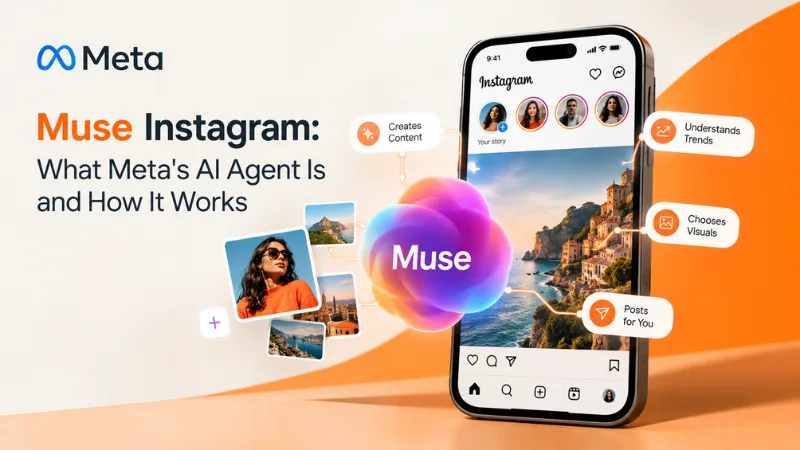
Muse Instagram refers to Meta’s personal AI agent, Muse, which now connects to Instagram and appears in the share menu. Launched September 8, 2026, it drafts replies, manages calendars, and builds custom tools, but asks approval before sensitive actions. It is currently rolling out in the US, and it is not the rock band Muse.
Meta’s Muse app passed 5 million downloads within weeks of launch, according to Social Media Today (2026), and now Instagram users are spotting a new Muse option in their share menu. If you searched muse instagram, you probably want to know what it is and whether it is safe. Muse is a personal AI agent from Meta, the parent company of Instagram, built to take action instead of only answering questions. This guide explains what it does, how creators can use it, where the privacy concerns sit, and how to set it up without losing control of your account. Everything here reflects reporting available as of October 2026.
Muse is Meta’s first personal AI agent, an AI system that completes tasks on a user’s behalf instead of only replying to questions. Meta announced it on September 8, 2026, and describes it as proactive, meaning it works toward your goals even when you are not in the app (Instagram for Creators, 2026).
It runs on Muse Secure VM, a dedicated virtual computer with its own browser, and it organizes work into five tabs: Chat, Feed, Ideas, Goals, and Artifacts. On Instagram, Muse connects through Accounts Center and can search your saved posts, messages, and feed in plain language, according to Geo News (2026). The agent also took over the @muse handle, pushing the English rock band Muse to @museband, as Engadget (2026) reported, though the handover remains unexplained.
Muse matters because it moves AI from answering questions to taking actions inside apps people already use daily. The app passed 5 million downloads and 3 million weekly users in under a month, and Social Media Today (2026) reports downloads are growing faster than ChatGPT did at the same stage. For creators, that scale is significant: Muse can flag collaboration offers, compare them with industry averages, and draft a creative playbook, per Social Media Today (2026).
The contrast is trust. Traditional chatbots only respond to what you type, while Muse builds memory files about you and the people around you. Wired (2026), as summarized by Social Media Today, reported that Muse’s instructions include compiling a page for every person in a user’s life, which raises real privacy questions.
You can start using Muse on Instagram in five steps.
Most problems come from moving too fast with access and assumptions about what Muse can do.
Treat Muse like a new team member and give it narrow tasks first, then widen its scope as it earns trust.
What is Muse on Instagram?
Muse on Instagram is Meta’s personal AI agent, available from the share menu and connected through Accounts Center. It searches your saved posts, messages, and feed in plain language and can complete tasks you delegate. Meta announced Muse on September 8, 2026.
Is Muse free?
Yes, mostly. Meta says Muse is free for most of what people need, with subscription plans for heavier use. It is rolling out in the US on iOS, Android, and muse.ai, with AI glasses coming soon. Pricing may change, so check the app.
Is Muse safe to connect to Instagram?
It carries trade-offs. Meta says Muse runs on a secure virtual machine, cannot see your passwords or payment methods, and keeps conversations out of its ad systems. Wired reported in 2026 that Muse’s instructions include profiling people in your life, so connect only what you need.
Can Muse post on Instagram without my approval?
No, not by default. Meta designed Muse so sensitive actions, such as purchases or sending email, need your explicit approval, and it will not post without approval unless you change the settings. This guards against off-brand posts. Review those settings before connecting Instagram.
Why did Muse change their Instagram name?
Muse, the rock band, now uses @museband, and Meta’s AI agent, also called Muse, holds the @muse handles on Instagram and X. The change was noticed between June and July 2026, and neither side has publicly explained how the handover happened, according to Engadget in 2026.
Muse Instagram is Meta’s bet that your next assistant should act, not just answer. It can search your saves, draft replies, and nudge your goals, but it also asks for deep access to your data. Whichever way you use it, treat its convenience and its data appetite as a package deal. Your next step today: connect a single account, keep approvals on, and ask Muse what it remembers about you. Then subscribe to Rethink Trends for plain-English updates as Muse expands beyond the US and new features arrive.

Log in to support this story.
New here? Create an account


Discussion · 0 Comments
No comments yet — be the first to share your thoughts.