
The Potential of Electric Vehicle Growth: What to Expect
0
0


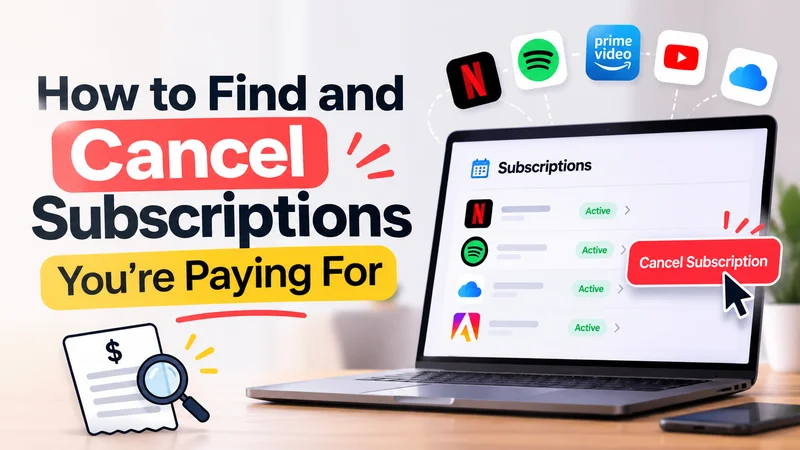
A streaming trial, fitness app, cloud-storage upgrade, or software tool can become a recurring charge long after you stop using it. The hard part is often discovering who is billing you: the app, Apple, Google Play, a website, or another provider. This guide shows you how to find active subscriptions, cancel them through the correct channel, and document what happens next.
Review several months of credit-card, debit-card, and bank statements. Look for charges that repeat monthly, quarterly, or annually, including amounts that changed after an introductory offer. Search your email for “subscription,” “renewal,” “receipt,” “invoice,” and “free trial.” Include family accounts and payment methods you rarely use, but do not share your banking login details with a third-party tool just to build the list.
Record the merchant name, charge amount, frequency, next renewal date, account email, and where you subscribed. Some bank descriptions differ from the brand shown in an app, so match charges with receipts before assuming they are unauthorized.
On an iPhone, open Settings, tap your name, then Subscriptions. Select the subscription and tap Cancel Subscription if that option appears. Apple notes that if there is no cancel button or an expiry message indicates cancellation, the subscription may already be canceled. The Apple account that made the purchase matters; check email receipts if you have more than one account.
Not every subscription used on an iPhone is billed by Apple. If it does not appear, inspect the receipt or card statement to identify the actual billing company. Apple’s official support page explains that subscriptions billed by other companies must be handled through those companies.
On Android, open Google Play subscriptions while signed in to the Google Account used for the purchase. Select the subscription, choose Cancel subscription, and follow the prompts. Google explicitly warns that uninstalling an app does not cancel its subscription. If you have multiple Google accounts, check each relevant account.
After cancellation, access often continues through the period already paid for, although payment-plan commitments and individual terms can differ. Confirm the end date shown in the account.
For services billed outside an app store, sign in through the provider’s official website. Look under Account, Billing, Membership, Plans, or Subscriptions. Follow the cancellation process until you see a confirmation, then save the confirmation email or a screenshot showing the cancellation date and effective end date.
If the cancellation option is unclear, use the company’s official support channel and ask for written confirmation that future renewals have stopped. Do not rely on deleting the app, removing a bookmark, or simply logging out. Those actions do not necessarily end billing.
Annual renewals are easy to miss because they do not appear on every statement. Look for domain registrations, antivirus tools, cloud backups, news sites, game memberships, delivery programs, and free trials that converted to paid plans. Consider whether a service is bundled with another subscription before canceling; ending one plan could remove a benefit you still use.
A simple spreadsheet is enough: Service | Billing provider | Cost | Renewal date | Action | Confirmation saved. Do not include full card numbers or passwords.
Set calendar reminders before trials and annual renewals. Read the promotional rate and the later regular price before subscribing. The FTC warns that renewal notices can be confusing and that scammers sometimes send fake notices. If an email asks you to enter payment information urgently, go directly to the service’s known website rather than following the message link.
Cancellation timing matters. For example, Apple advises canceling a trial at least 24 hours before it ends if you do not want renewal. Always check the specific provider’s terms and confirmation screen rather than assuming every service uses the same cutoff.
Gather the cancellation confirmation, billing statement, and any support messages. Contact the company through a verified channel and request a correction or refund if appropriate. If it continues charging or refuses to resolve an unauthorized charge, contact your card issuer promptly about dispute options. Deadlines and rights depend on the payment method and circumstances, so do not wait.
The FTC advises consumers to keep records, monitor statements after cancellation, and report problematic subscription practices to ReportFraud.ftc.gov or their state attorney general. If you suspect an account takeover, secure the affected account and payment credentials as well.
Related reading: The Power of a Debt-Free Life: Why It Matters
No. Google Play specifically states that uninstalling an app does not cancel its subscription. Other services may also continue billing until canceled through the correct provider.
It may be billed directly by the company, through another account, or through a different provider. Use your receipt and bank statement to identify the billing merchant.
Not necessarily. Cancellation usually stops future renewal, while refunds depend on the provider’s policy, purchase terms, and applicable consumer protections.
A payment block does not necessarily terminate the underlying contract. Cancel with the provider, document it, and ask your bank about appropriate protections if charges continue.
Finding subscriptions is an accounting task; canceling them is a billing-provider task. Identify the merchant, cancel through the correct channel, save proof, and verify that the next statement matches your expectations.

Log in to support this story.
New here? Create an account


Discussion · 0 Comments
No comments yet — be the first to share your thoughts.