
7 Best AI Tools for Travel Planning in 2027: Plan Smarter and Spend Less
0
0


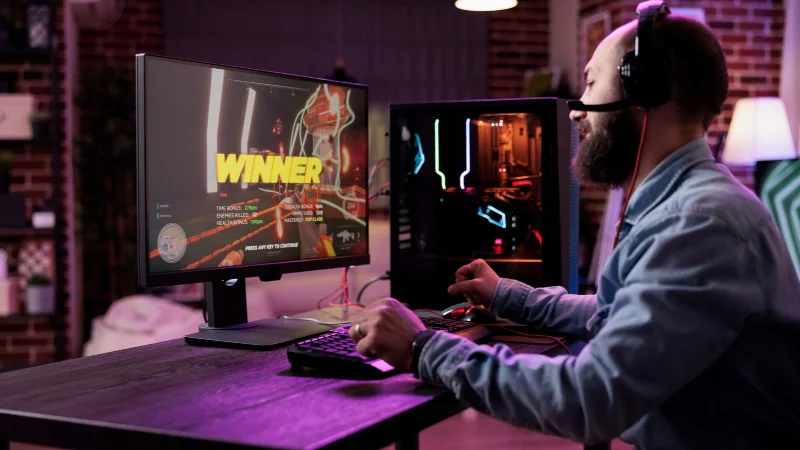
Gaming is no longer something that happens exclusively inside a game. Players share strategies, review new releases, organize tournaments, stream gameplay and build communities across the internet.
Creating your own gaming website gives you a dedicated space to bring these activities together. Whether you want to launch a gaming blog, promote your esports team, showcase your livestreams or build a platform where visitors can play online games, you can get started without advanced programming skills.
In this guide, you’ll learn how to make a gaming website from scratch, choose the right tools, estimate your costs and turn your gaming passion into a potential source of income.
Here’s a quick look at the process of creating your own gaming website.
| Step | What You Need to Do |
|---|---|
| 1 | Choose your gaming niche |
| 2 | Select a domain name |
| 3 | Choose a website creation platform |
| 4 | Set up web hosting |
| 5 | Design your gaming website |
| 6 | Create essential website pages |
| 7 | Add gaming features and integrations |
| 8 | Optimize performance, security and SEO |
| 9 | Test and launch your website |
| 10 | Promote and monetize your website |
Before purchasing a domain or choosing a website builder, decide what you want your website to accomplish.
Different gaming websites require different features, budgets and levels of technical expertise.
| Gaming Website Type | Main Features | Difficulty |
|---|---|---|
| Gaming blog | Reviews, guides and news | Beginner |
| Gaming community | Forums, profiles and discussions | Intermediate |
| Esports website | Team rosters, schedules and results | Intermediate |
| Streamer website | Livestreams, clips and social links | Beginner |
| Browser gaming website | Playable online games | Intermediate to advanced |
| Gaming e-commerce website | Merchandise and digital products | Intermediate |
| Game developer portfolio | Game demos and project showcases | Beginner to intermediate |
If you are building your first website, a gaming blog or streamer website is usually a manageable starting point. You can introduce more advanced features as your audience grows.
Instead of trying to cover every game or gaming category, focus on a specific audience.
For example, you could build a website around PC gaming, mobile games, Minecraft tutorials, indie game reviews, competitive esports, gaming hardware or retro gaming.
A focused niche makes it easier to plan content, develop a recognizable brand and attract visitors with shared interests.
Start by answering three questions:
For example, a website dedicated to budget PC gaming could publish affordable gaming setup recommendations, hardware comparisons, performance optimization guides and game reviews.
Your domain name is the online address of your gaming website. It should reflect your brand and be easy for visitors to remember.
A good gaming domain name should be:
Popular domain extensions for gaming websites include .com, .gg and .games.
While .com works well for a general gaming brand, .gg is commonly associated with gaming and esports communities.
You can check domain availability through registrars such as Namecheap, GoDaddy or Porkbun.
Before registering a domain, check whether similar social media usernames are available and whether your preferred name infringes on an existing brand.
You don’t necessarily need to learn HTML, CSS or JavaScript to create a gaming website. Several website builders and content management systems allow you to create a professional website without writing code.
The best platform depends on your technical experience and the type of website you want to launch.
| Platform | Best For | Technical Skill Required |
|---|---|---|
| WordPress | Gaming blogs, communities and customizable websites | Beginner to intermediate |
| Wix | No-code gaming and streamer websites | Beginner |
| Hostinger Website Builder | Small gaming websites and beginners | Beginner |
| Webflow | Customized gaming website designs | Intermediate |
| Shopify | Gaming merchandise and online stores | Beginner to intermediate |
| GitHub Pages | Static gaming portfolios and developer websites | Intermediate |
WordPress is a flexible choice for content-heavy gaming websites because it supports extensive customization through themes and plugins.
If you prefer an all-in-one visual editing experience, a hosted website builder may be easier to manage.
AI-powered platforms can simplify the process further by generating website layouts, content and design elements based on your requirements. Exploring the best AI website builders can help you find a platform that matches your budget, technical skills and customization needs.
For a website that runs original browser games or advanced multiplayer functionality, a custom development approach may be more appropriate than a standard website builder.
Web hosting stores your website’s files and makes them accessible to visitors.
Choosing the right hosting plan is especially important if your website contains large images, videos, interactive games or community features.
There are several hosting options to consider:
When comparing hosting providers, consider loading speed, storage, bandwidth, backups, SSL certificates, customer support and renewal pricing.
Keep in mind that ordinary website hosting and multiplayer game server hosting are different services. A gaming blog does not require a dedicated game server, but hosting multiplayer matches may require specialized infrastructure.
Your website design should reflect your gaming niche while remaining easy to navigate.
Many gaming websites use dark backgrounds, bold typography and vibrant accent colors. However, readability and accessibility should take priority over decorative effects.
Focus on creating a clear visual hierarchy with:
For example, an esports homepage might highlight upcoming matches, team members and recent tournament results. A gaming blog could prioritize featured articles, game reviews and trending guides.
Avoid excessive animations, autoplay videos and oversized images that can negatively affect loading speed.
A gaming website needs more than an attractive homepage.
Depending on your niche, consider including the following pages:
| Page | Purpose |
|---|---|
| Homepage | Introduces your gaming brand and highlights important content |
| About Us | Explains who runs the website and its purpose |
| Blog | Publishes gaming news, tutorials and updates |
| Game Reviews | Helps readers evaluate different games |
| Community | Provides a space for player discussions |
| Contact | Allows users, brands and collaborators to reach you |
| Privacy Policy | Explains how personal information is handled |
| Terms of Use | Establishes website rules and usage conditions |
You don’t need to create every possible page immediately. Start with the pages that support your website’s primary purpose.
If you want to attract sponsorships, consider adding a dedicated advertising or partnership inquiry page once your website has established an audience.
The features you add should improve the visitor experience rather than simply making your website look more complex.
Some useful gaming website features include:
For WordPress websites, plugins such as bbPress, BuddyPress and WooCommerce can support forum, community and e-commerce functionality.
If you want users to play games directly on your website, consider integrating HTML5 games that you created or have permission to publish.
Game developers can use technologies such as Phaser or Godot’s web export functionality to create browser-based experiences.
Always verify that you have the appropriate licenses before publishing third-party games, artwork, screenshots or other copyrighted assets.
Adding a multiplayer gaming server
A gaming server is optional and is only necessary for certain gaming website projects.
For example, if you run a Minecraft community, you may want a dedicated server where members can play together.
The process typically involves checking whether the game supports privately hosted servers, selecting a compatible hosting provider, installing the appropriate server software and configuring player access.
Your website can then display server information, community rules, connection instructions and player statistics.
Before opening a multiplayer server to the public, establish moderation rules, backup procedures and security controls.
Creating a gaming website is only the first step. You also need to make it discoverable and enjoyable to use.
Search engine optimization
Research gaming-related keywords that match your niche. Create helpful content addressing specific questions, problems and interests.
For example, a PC gaming website might publish articles about improving game performance, choosing gaming accessories or comparing affordable gaming laptops.
Use descriptive page titles, clear headings, internal links and relevant meta descriptions. Submit your sitemap through Google Search Console to help monitor search visibility.
If you’re unfamiliar with keyword research, technical SEO or content optimization, our complete SEO guide explains how to build a stronger foundation for long-term organic visibility and improve your website’s discoverability.
Website performance
Gaming content often contains high-resolution screenshots and videos. Without optimization, these elements can slow down your website.
Compress images, use modern image formats, load nonessential media only when needed and consider a content delivery network (CDN).
Free browser-based utilities can also simplify tasks such as compressing gaming screenshots, converting files and managing digital content. Our curated list of useful websites for everyday tasks is a good starting point for discovering online tools that can support your workflow.
Tools such as Google PageSpeed Insights can help identify performance issues and opportunities to improve loading speed.
Website security
Enable HTTPS, use strong passwords, activate two-factor authentication where available and keep your website software updated.
If your site allows registrations or community discussions, introduce moderation, spam prevention and appropriate privacy controls.
Regular backups can also help protect your website against data loss, technical failures and security incidents.
Before publishing your website, test it from a visitor’s perspective.
Check whether:
Ask a few people to explore the website and share feedback. This can help identify usability issues you may have overlooked during development.
Once everything works correctly, publish your website and begin sharing it with your intended audience.
After launching your gaming website, focus on building a loyal audience.
Publish useful content regularly and participate in relevant gaming communities. Share articles and updates through Discord, Reddit, YouTube, Twitch and social media platforms where appropriate.
Avoid repeatedly posting promotional links in communities that do not permit self-promotion.
As your website attracts visitors, you can explore different monetization methods.
| Monetization Method | How It Works |
|---|---|
| Affiliate marketing | Earn commissions from eligible product referrals |
| Display advertising | Generate advertising revenue from website visitors |
| Sponsored content | Work with relevant gaming and technology brands |
| Memberships | Offer exclusive content or community benefits |
| Merchandise | Sell branded gaming-related products |
| Digital products | Sell original guides, templates or other downloadable resources |
Revenue depends on your audience size, engagement, niche and monetization strategy. Disclose affiliate relationships and sponsored content clearly.
You can create a basic gaming website without paying for hosting or a custom domain by using free website-building platforms.
Some options include:
Free plans can be useful for testing an idea or creating a gaming portfolio.
However, they may have limitations involving custom domains, storage, branding, advertising, plugins and commercial usage.
GitHub Pages, for example, has usage restrictions that make it unsuitable for certain commercial projects.
If your goal is to develop a professional gaming brand, a paid plan with a custom domain and suitable hosting will typically provide more flexibility.
The cost of a gaming website depends on its size, functionality and development approach.
Here are approximate planning budgets in US dollars.
| Expense | Estimated Cost |
|---|---|
| Domain name | $10–$30 per year |
| Basic web hosting | $3–$15 per month |
| Hosted website builder | $10–$40 per month |
| Premium website theme | $30–$100, depending on licensing |
| Additional plugins | $0–$300+ per year |
| Multiplayer server hosting | $10–$100+ per month |
| Custom website development | $500–$5,000+ |
These are illustrative estimates rather than live provider prices. Actual costs depend on provider plans, renewal rates, taxes, resource requirements and project complexity.
A simple gaming blog can be relatively inexpensive to maintain, while a multiplayer platform or custom browser gaming website may require a substantially larger budget.
Building a successful gaming website requires more than choosing a theme and publishing content.
Avoid these common mistakes:
Start with a manageable website that solves a specific audience need. Expand its functionality as you gain visitors and understand their preferences.
Learning how to make a gaming website is easier when you begin with a clear purpose, a suitable website platform and a realistic budget.
A simple gaming blog can be created without coding, while a browser gaming platform or multiplayer community may require specialized development and hosting.
Focus on providing useful content, creating an enjoyable user experience and building a community around your gaming niche.
With consistent effort, your website can grow from a personal gaming project into an established online brand with opportunities for advertising, partnerships and other revenue streams.
Yes. Platforms such as WordPress, Wix and Hostinger Website Builder allow beginners to create gaming blogs, portfolios and basic community websites without writing code. Advanced browser games and custom multiplayer features may require programming.
Yes. Free platforms such as WordPress.com, Wix and Google Sites can support basic gaming websites. However, free plans generally have limitations compared with paid hosting and website-building services.
WordPress is a flexible option for gaming blogs and content-focused websites. Wix can suit beginners who prefer visual editing, while custom development may be necessary for advanced interactive gaming platforms.
You can embed compatible HTML5 games, publish games you developed yourself or integrate third-party games with the appropriate licensing permissions. The technical process depends on the website platform and game format.
A gaming website can generate revenue through affiliate marketing, sponsored content, display advertising, memberships and merchandise. Earnings depend on audience size, engagement and the effectiveness of your monetization strategy.
No. Gaming blogs, review websites and streamer portfolios generally do not require a multiplayer game server. Specialized server hosting may be necessary if you want to host multiplayer games for your community.
A basic gaming website using a no-code website builder can be created within a few hours or days. More advanced gaming communities, browser gaming platforms and custom multiplayer websites may require several weeks or months of development.

Log in to support this story.
New here? Create an account


Discussion · 0 Comments
No comments yet — be the first to share your thoughts.